Inhalt dieses Topics
Basics
Some preprocessing processes can be carried out in plusmeta to prepare objects for metadata recognition or other processes. This allows non-compliant PDF documents to be converted into PDF/A documents. Office formats, such as Word files or PowerPoint presentations, can also be converted into processable PDF documents. Text can also be extracted from a scanned paper document or image using character recognition.
The pre-processing processes can be carried out in projects in the workflow step Add content after the content has been uploaded.
The following help pages explain the individual pre-processing processes in more detail:
Display of relevant columns
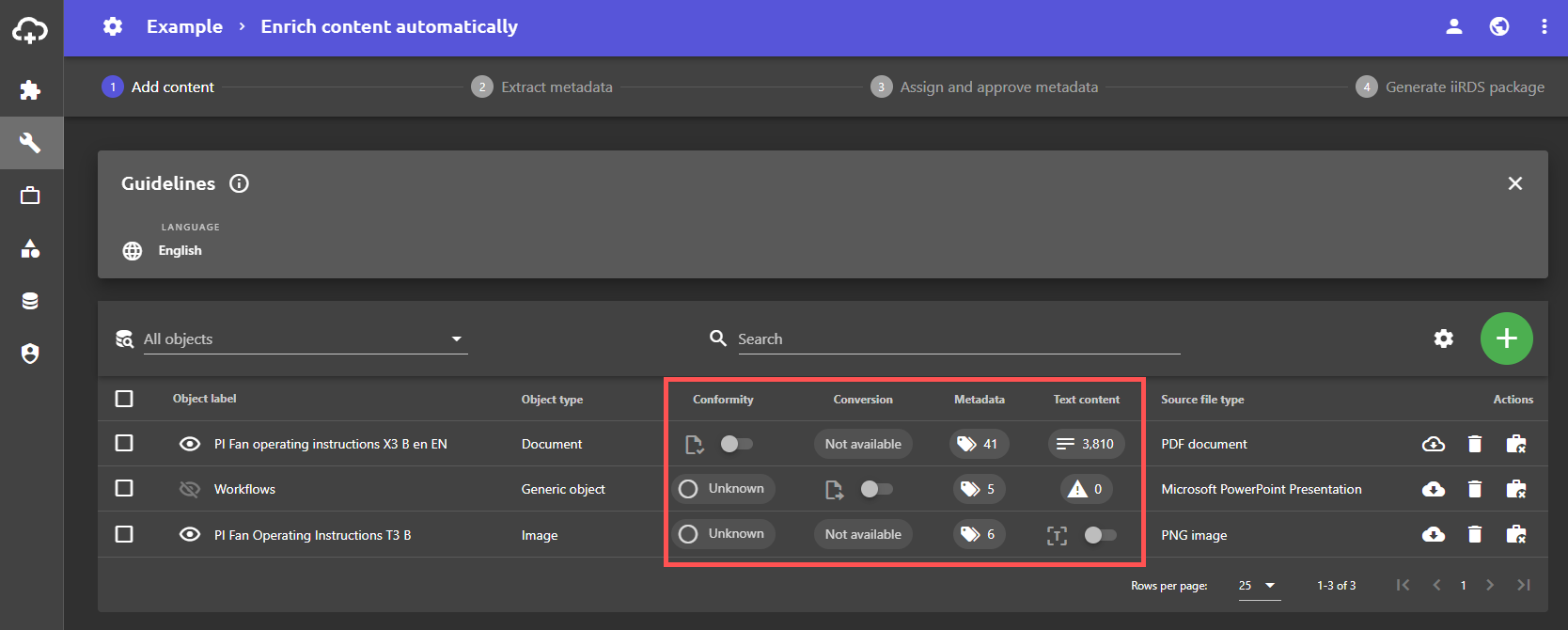
The pre-processing processes can be triggered in the first workflow step Add content. The following columns must be displayed:
- PDF/A conversion: Conformity is displayed in plusmeta in the Conformity column with the symbol and can be activated using the toggle switch.
- Office to PDF conversion: The Office conversion is displayed in plusmeta in the Conversion column with the symbol and can be activated using the toggle switch.
- Character recognition: Character recognition is displayed in plusmeta in the text content column with the symbol and can be activated using the toggle switch.
Select all objects
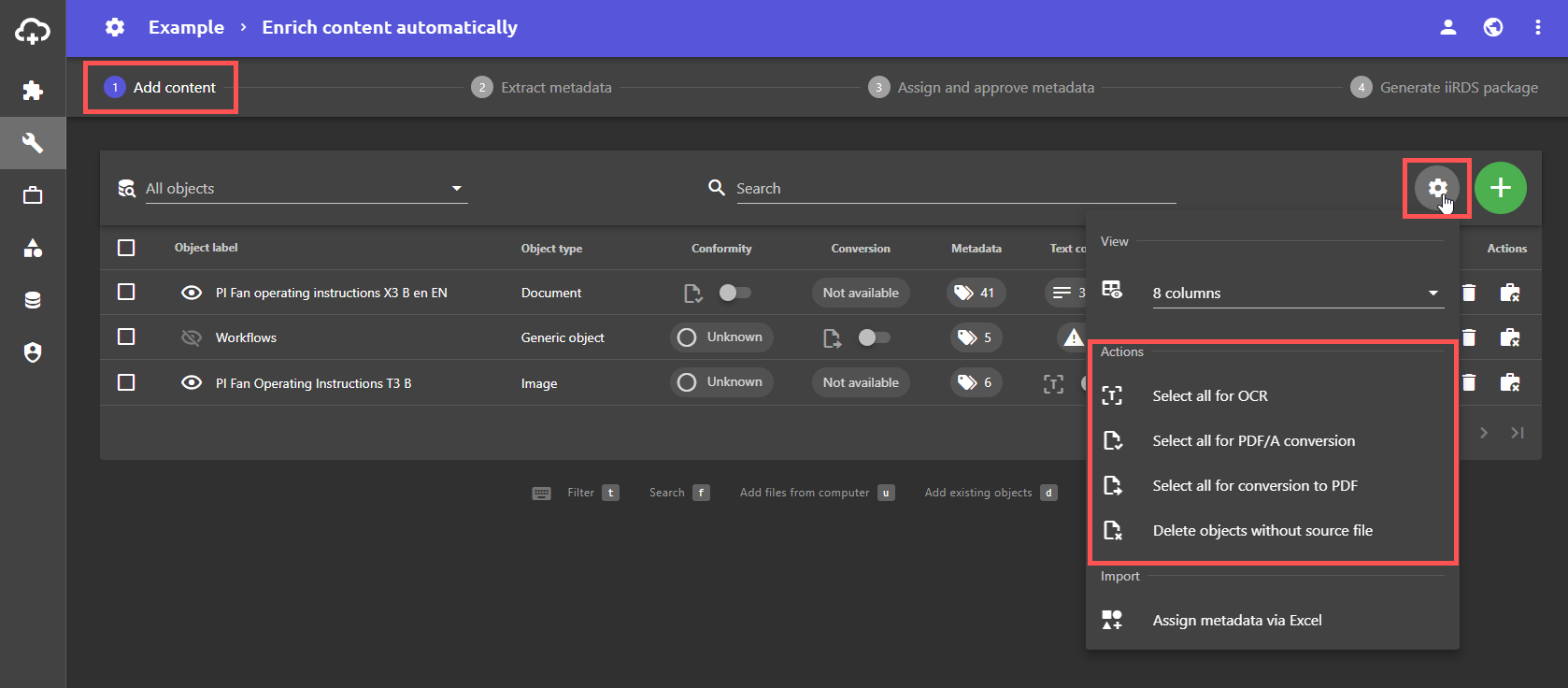
The gear menu can be used to select all objects at once for preprocessing processes