Content of this topic
Professional and fast support for our customers
There are several ways to contact Support. If you encounter a problem while working in the plusmeta platform, we recommend that you contact us directly in plusmeta using the button. This way, we receive additional diagnostic data and can help you more quickly.
Contact Support via the plusmeta platform
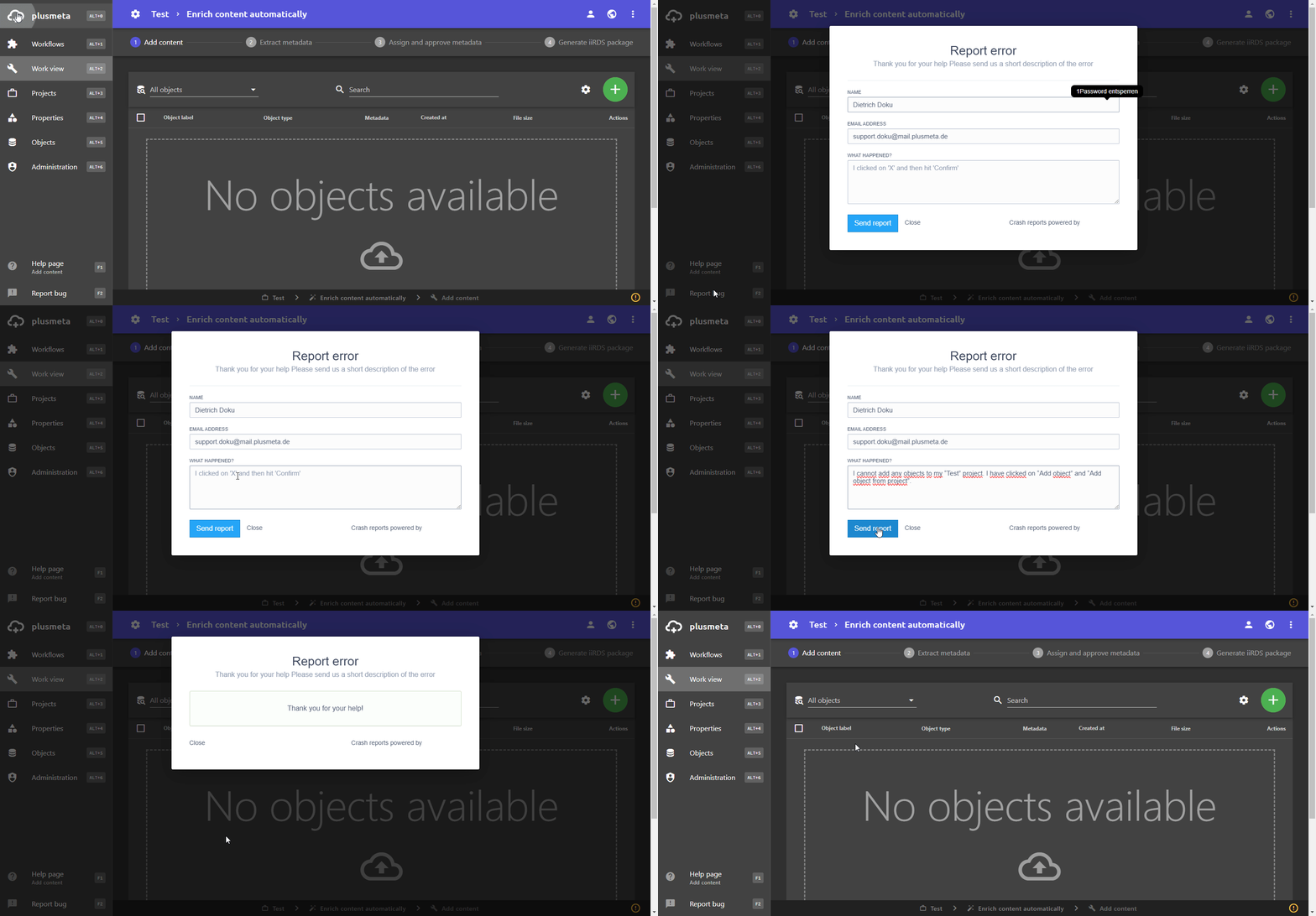
- Click on the button in the bottom left. A dialogue opens allowing you to report an error or to enter your question.
- Send the form using the Send report button.
Support via the User portal
Your question is not covered in the documentation or you have discovered an error in the software? Then you can contact our plusmeta team directly using our contact form.
Click here to get to the contact form.
You will also find the support button in the top right-hand corner of the User portal, which will take you to the contact form aswell.
Contact Support by e-mail
You can also contact Support via our e-mail address support@plusmeta.de.
