Content of this topic
Basics
Namespaces are properties. They are listed under the Class Namespace in plusmeta.
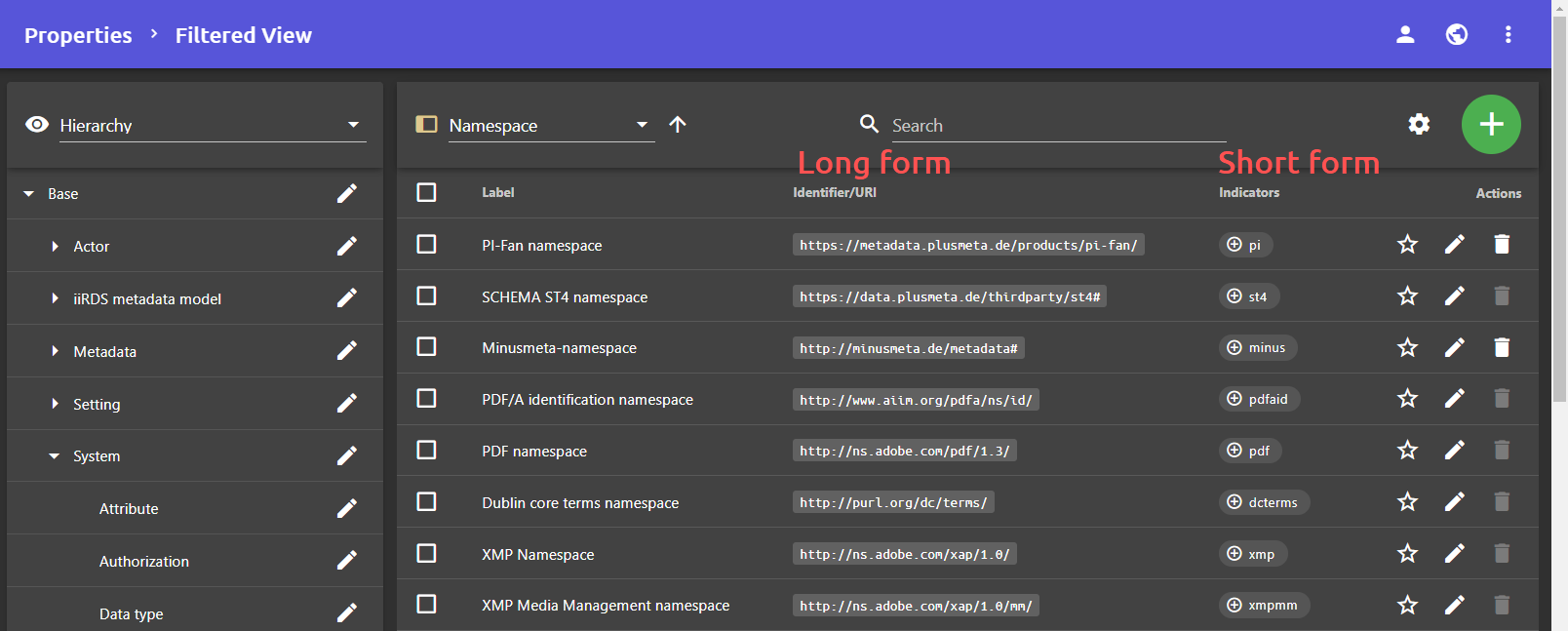
When exporting metadata, the prefix is converted to the long form. For example, when output as an iiRDS package, minus:excavator gets converted to http://minusmeta.de/metadata#excavator.
Create namespace
- Open the Properties view.
- Click the Add button and then click the button.
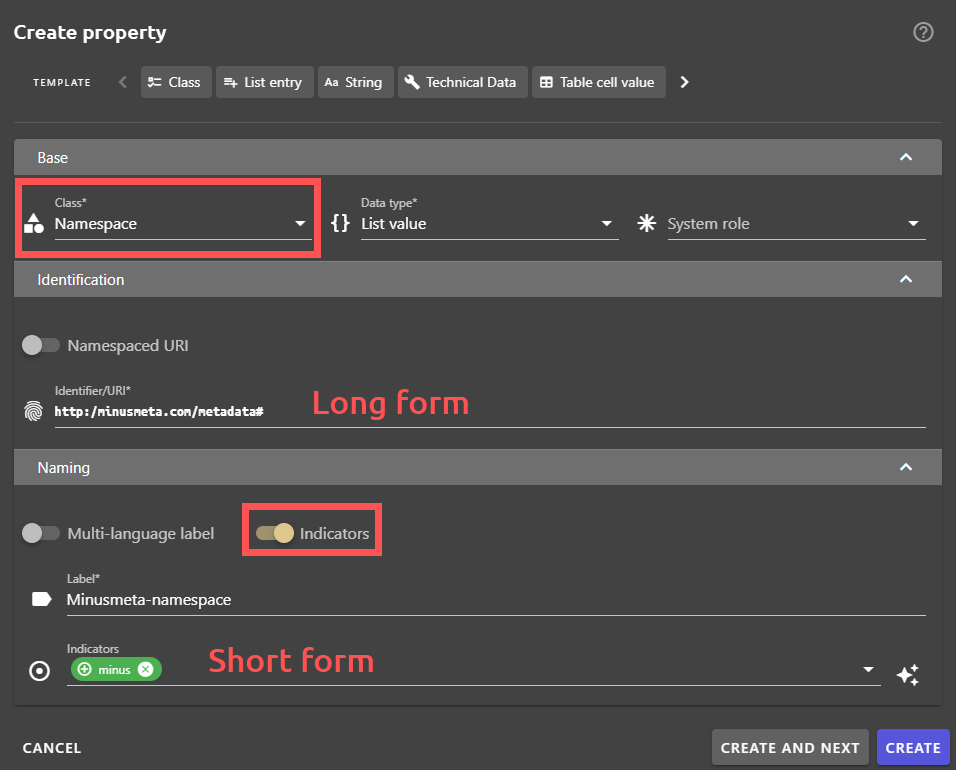
The Create property dialogue opens. - Assign the class namespace.
- Assign the data type list value .
- Enter the full long form of the namespace in the Identifier/URI field.
- Activate the toggle switch Indicators and enter the short form of the namespace in the Indicators field.
- Enter the name of the namespace in the label field.
- Click on CREATE.
Assign namespace
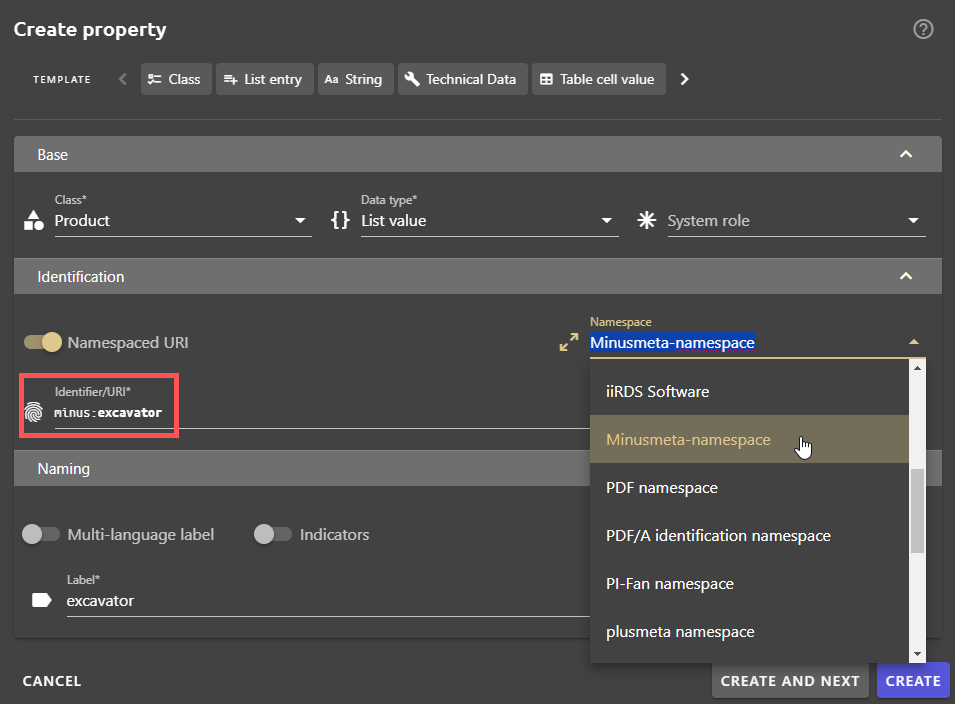
When creating a property, you can assign the desired namespace in the Create property dialogue. If the Namespaced URI switch is activated, an already configured namespace can be selected from a drop-down list.
Edit namespace
- Click in the Properties view.
- Search for the namespace using the filter or the search function.
- Click on the button in the line of the namespace.
The Edit property dialogue opens. - Edit the namespace and close the Edit property dialogue.
All your changes will be saved automatically.
Delete namespace
- Click in the Properties view.
- Search for the namespace using the filter or the search function.
- Delete the namespace using the button.
Note: Only user-created namespaces can be deleted. Namespaces already existing in plusmeta cannot be deleted.
