Content of this topic
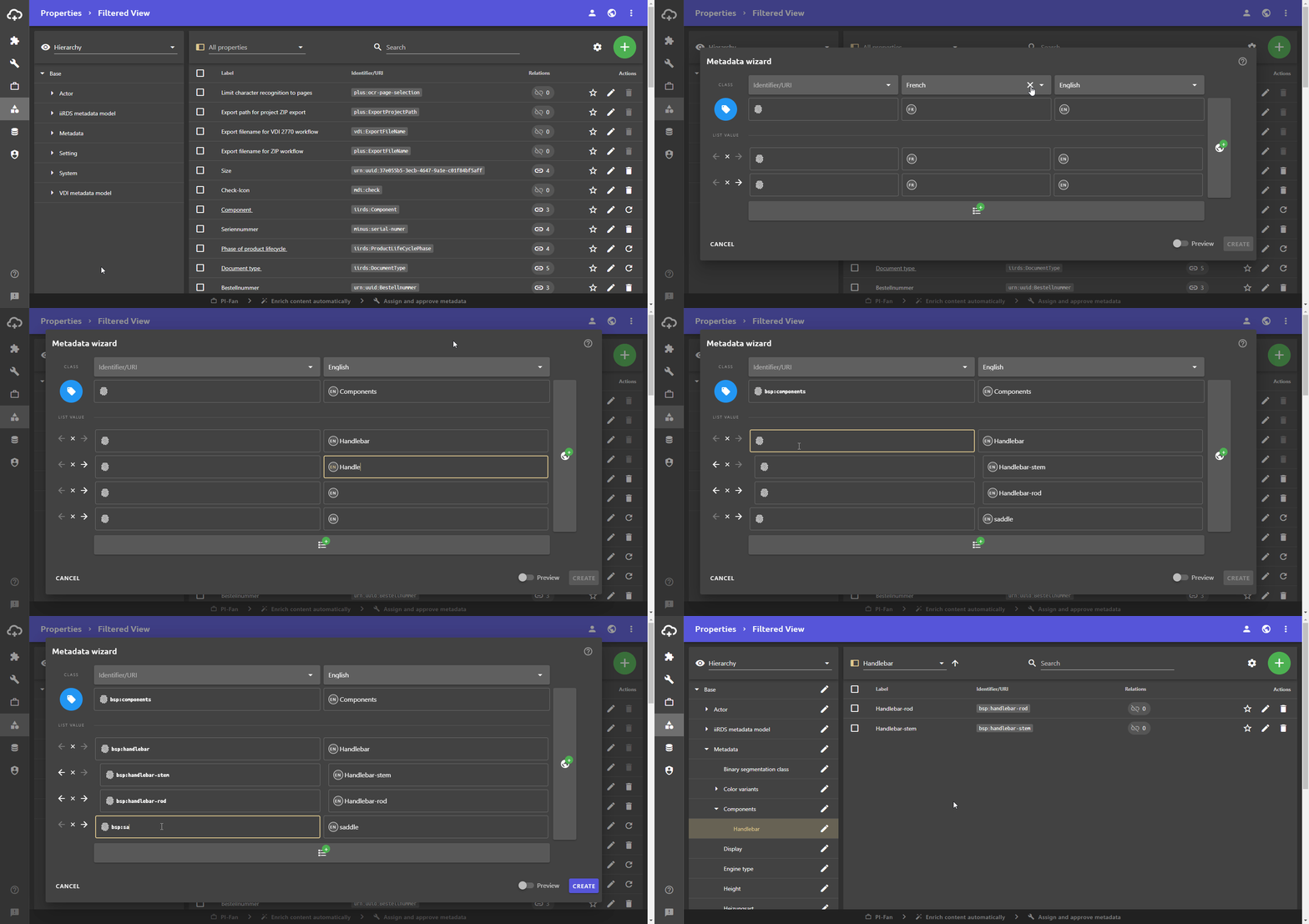
The metadata wizard helps you create new metadata. You can create new metadata and its values in one dialogue. Hierarchies can also be created.
Function
During creation, the metadata wizard also does most of the necessary configuration:
Metadata that you create using the metadata wizard is configured to be automatically assigned as metadata.
In the background, the following happens:
The property in the top row is created as a class with the system role Metadata. In addition, the auto assignment attribute is activated, which enables automatic metadata extraction. The required assigned relation is also created automatically. The values in the fields below are created as list values of the metadata. If hierarchies are created in the values in the metadata wizard, the metadata also automatically receives the hierarchy system role.
Metadata that you create using the metadata wizard is placed under the Metadata class. You can of course change this classification afterwards via the Edit properties dialogue. You can also use this dialogue to make further changes to the configuration.
Layout
The metadata wizard is tabular in structrure.
Columns
In the top row, the columns can be edited in drop-down lists. You can choose between the Identifier/URI, the label, and the languages for multilingual labels.
You can add more columns using the button on the right. You can use the button to delete columns.
Rows
The metadata is entered in the top row of fields. This is the class for the values in the rows below. On the far left of the row of the metadata, the icon for the metadata can be selected via the blue button .
The values (list values) of the metadata are entered in the rows below. The values can be arranged hierarchically using the arrows on the far left of the rows. An indented field is therefore the child of the field above it, which is not indented or less indented. The example GIF above illustrates this function.
You can use this to delete rows of list values.
The identifier or the uri is entered in the field . If the column Identifier/URI is deleted, it is automatically generated by the system. The label of the metadata or the values is entered in the Label field or the language fields.
Required fields and automatic URI
All fields are required to be filled in. If you do not want to enter the Identifier/URI yourself but have it generated automatically by the system, you must therefore hide the column Identifier/URI.
Only when you have filled in all displayed fields, you can create the metadata with its values in plusmeta using the Create button.
