Use the Add object button to add objects (PDFs, HTML files, etc.) that already exist in plusmeta. For example, objects that you have already added in another project.
Tip: If you want to add all objects of one or more existing projects, you should use the Add objects from project option.
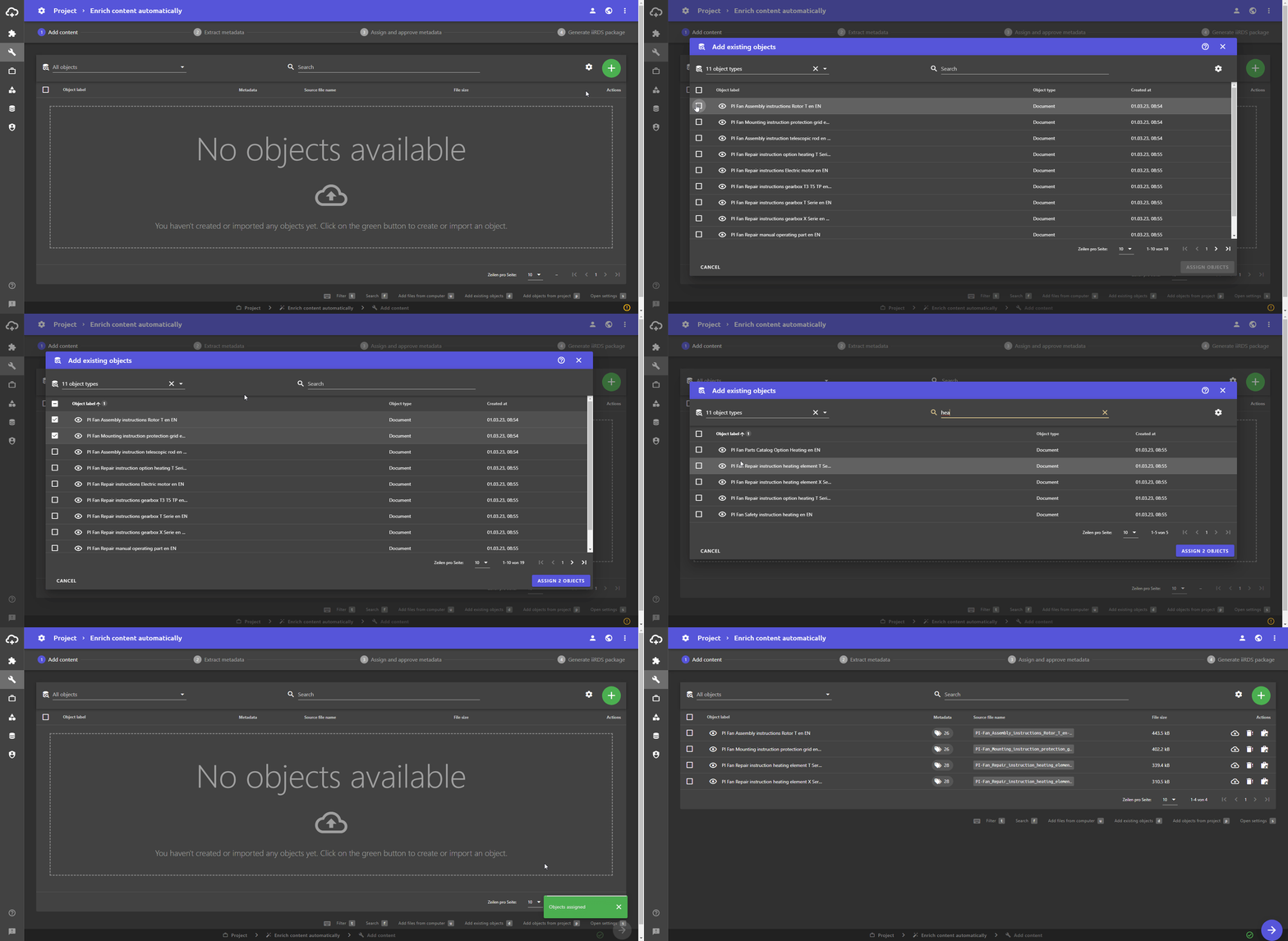
- Click the Add object button.
Three buttons appear. - Click the Add existing objects button to add objects that already exist in plusmeta. A dialogue opens listing all existing objects.
- Select the objects to be added by clicking on the checkbox . The blue ASSIGN OBJECTS button displays the number of objects that will be added to your project.
Tip: If you have a lot of objects, it can be helpful to search for them using the search bar. In addition, you can set filters and use the gear icon to add further columns to the table and to include or exclude completed projects from the list. You can learn more about this on the Customize table views help page.
- Click the X ASSIGN OBJECTS button.
The dialogue closes and the objects are added to your project.
Click here to return to the Add objects help page.
