Content of this topic
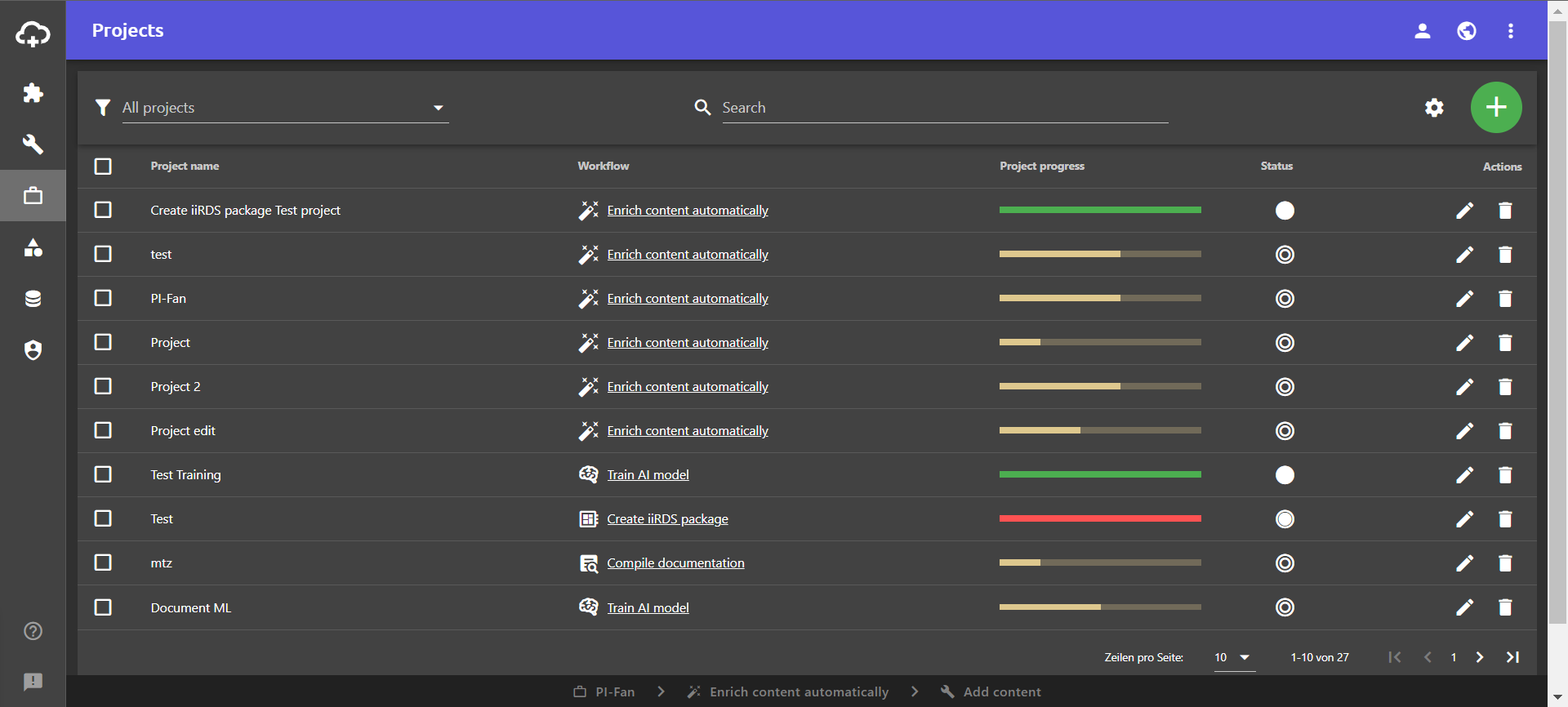
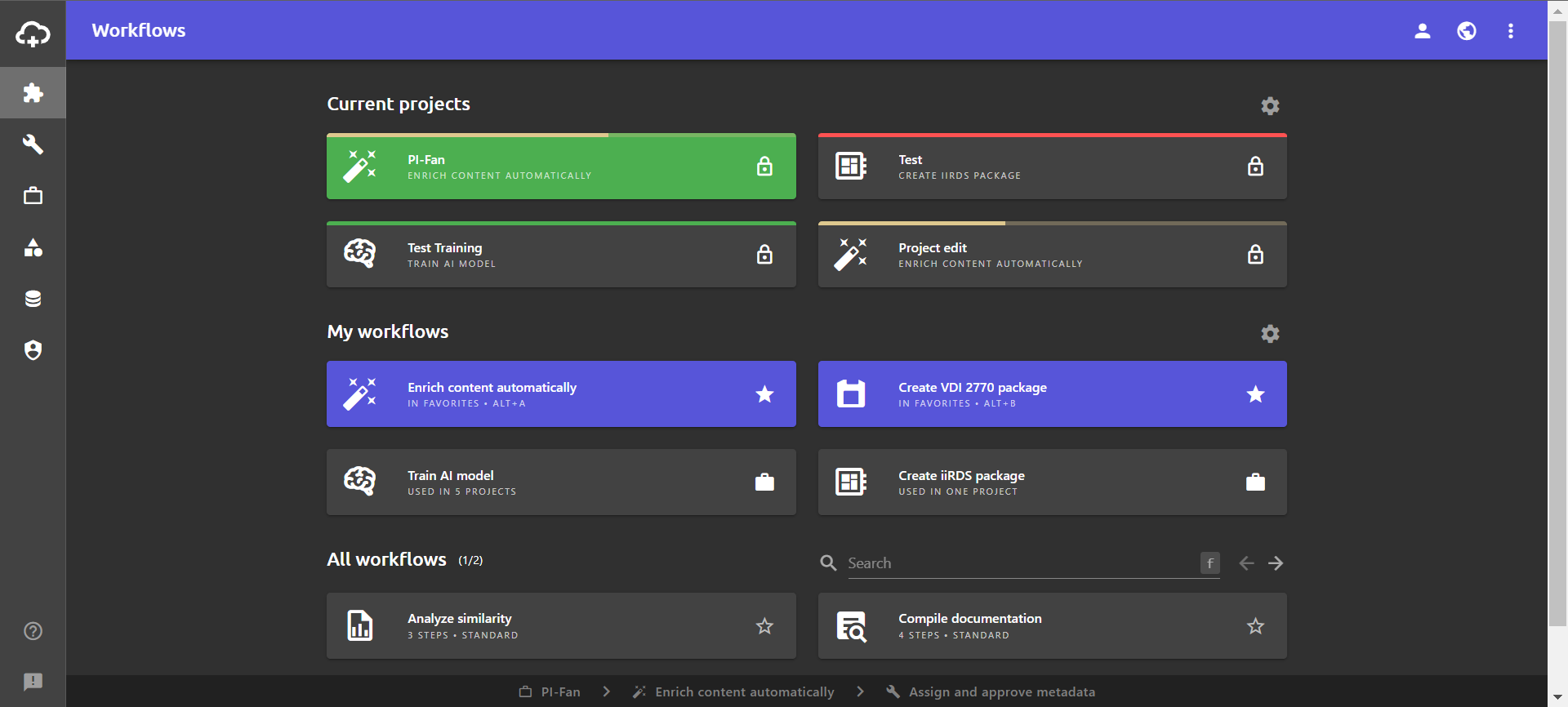
Projects have a project progress bar and a project status. Both are visible in the projects view. The project progress is also displayed in the workflows view for the current projects.
Project progress
In the workflows view, the filling of the progress bar in the All projects area shows which workflow step the projects are in.
The progress bars can also be displayed as a column in the projects view. If you move the mouse pointer over the progress bar, a tooltip shows which workflow step the project is in. The percentage indicates how far the project has progressed.
The color of the bars also indicates the status of the projects:
| Color | Meaning |
|---|---|
| Beige | New / Open |
| Green | Finished |
| Red | Closed |
Project status
A project can be in one of the following statuses:
| Icon | Status | Description |
|---|---|---|
| New | No workflow step has been processed yet. | |
| Open | One or more workflow steps have been processed. | |
| Finished | All workflow steps have been completed. The workflow was ended by clicking on the tick in the last step. | |
| Closed | The workflow was manually set to “closed” in the project view. This status indicates that the projects are no longer relevant for processing. Closed projects can be hidden in the workflows view. |
Change project status
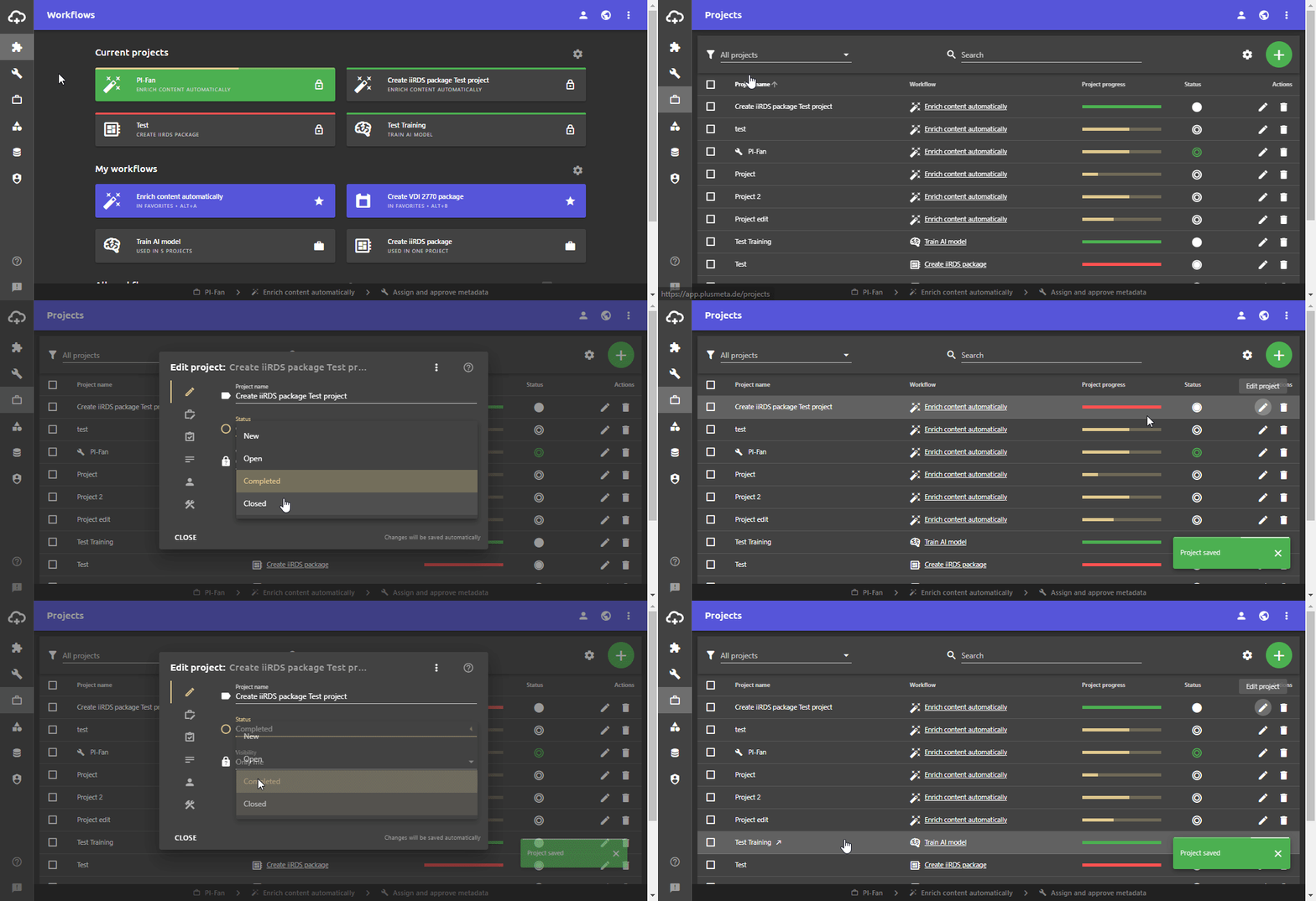
The project status changes automatically when you create a new project, edit it and complete the last workflow step. However, you can also change the status of a project manually. The “Closed” status can only be set manually.
- Open the Projects view.
- In the row of the desired project click on.
The Edit project-dialogue opens. - Click on the field Status .
The drop-down list with the statuses opens. - Click on the desired status.
- Close the Edit project-dialogue.