Content of this topic
The workflow Share files is used to share files with people that do not have a plusmeta user account.
Workflow steps
The workflow Share files has only one step in which objects can be uploaded or downloaded.
-
The interface that the guest user sees can be customized according to the organization.
-
You can use the button to set project guidelines to communicate requirements for the content to be uploaded.
Upload files
- In the workflows view click on the workflow Share files.
- Assign a project name.
- Set the visibility to: Everyone with shared link
The project can now be accessed by anyone who has the link. The link allows users without a plusmeta user account to access the shared project. - Add objects (PDFs, HTML files, etc.) to your project via drag & drop or via the Add button . It is also possible to add objects from an existing project to the project.
Download files
- Select all the objects you want to download.
- Click Export selection to download the objects bundled as a ZIP archive.
Send shared link
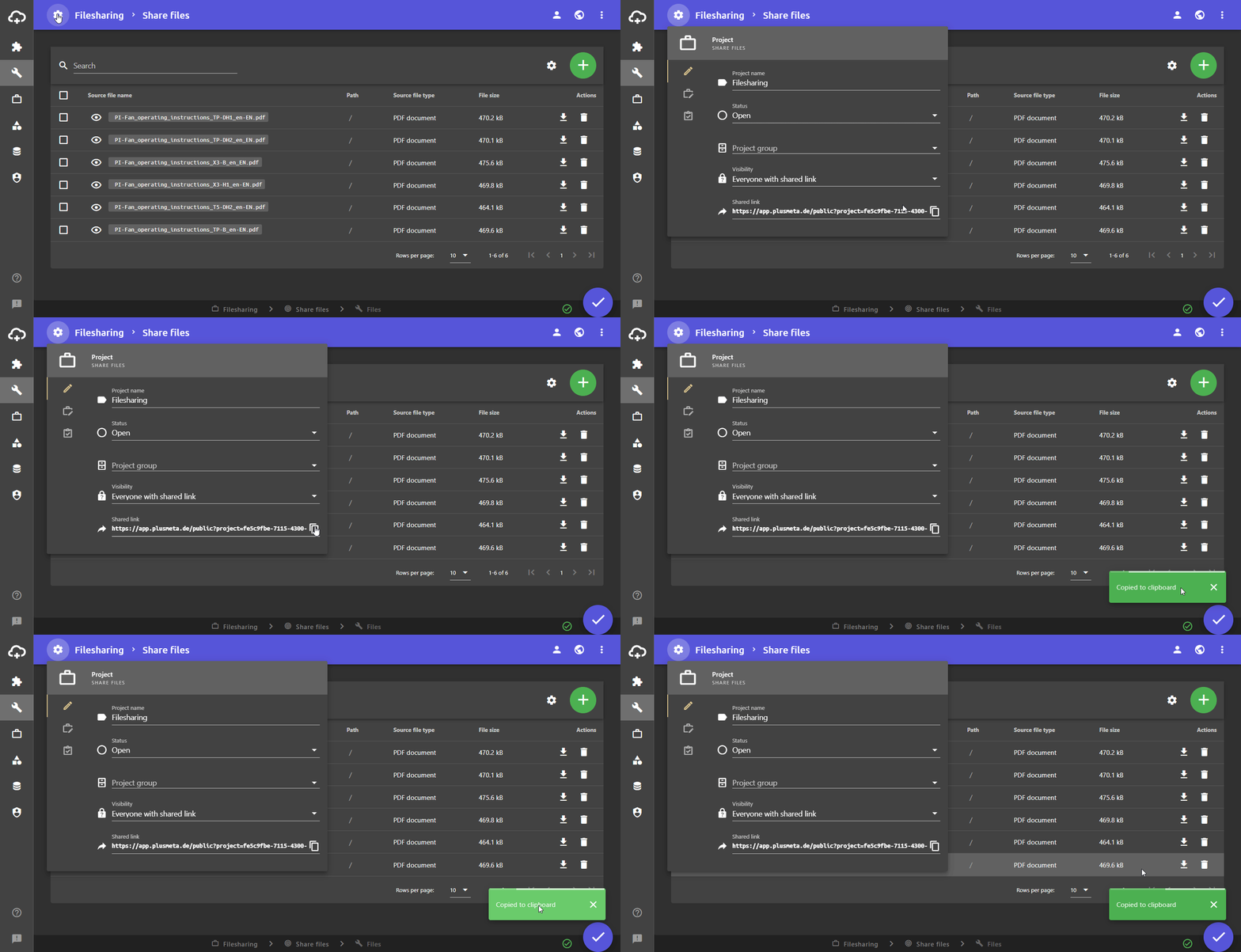
You can copy the shared link directly from the project settings when working in the project or in the project view.
Copy shared link in the project
- Open a project based on workflow Share files.
- Click on the project settings to the left of the project name.
The project settings dialogue opens. - Click on the button in the Shared link field on the right to copy the shared link.
- Send the shared link to the person with whom the files are to be shared.
Copy shared link from the projects view
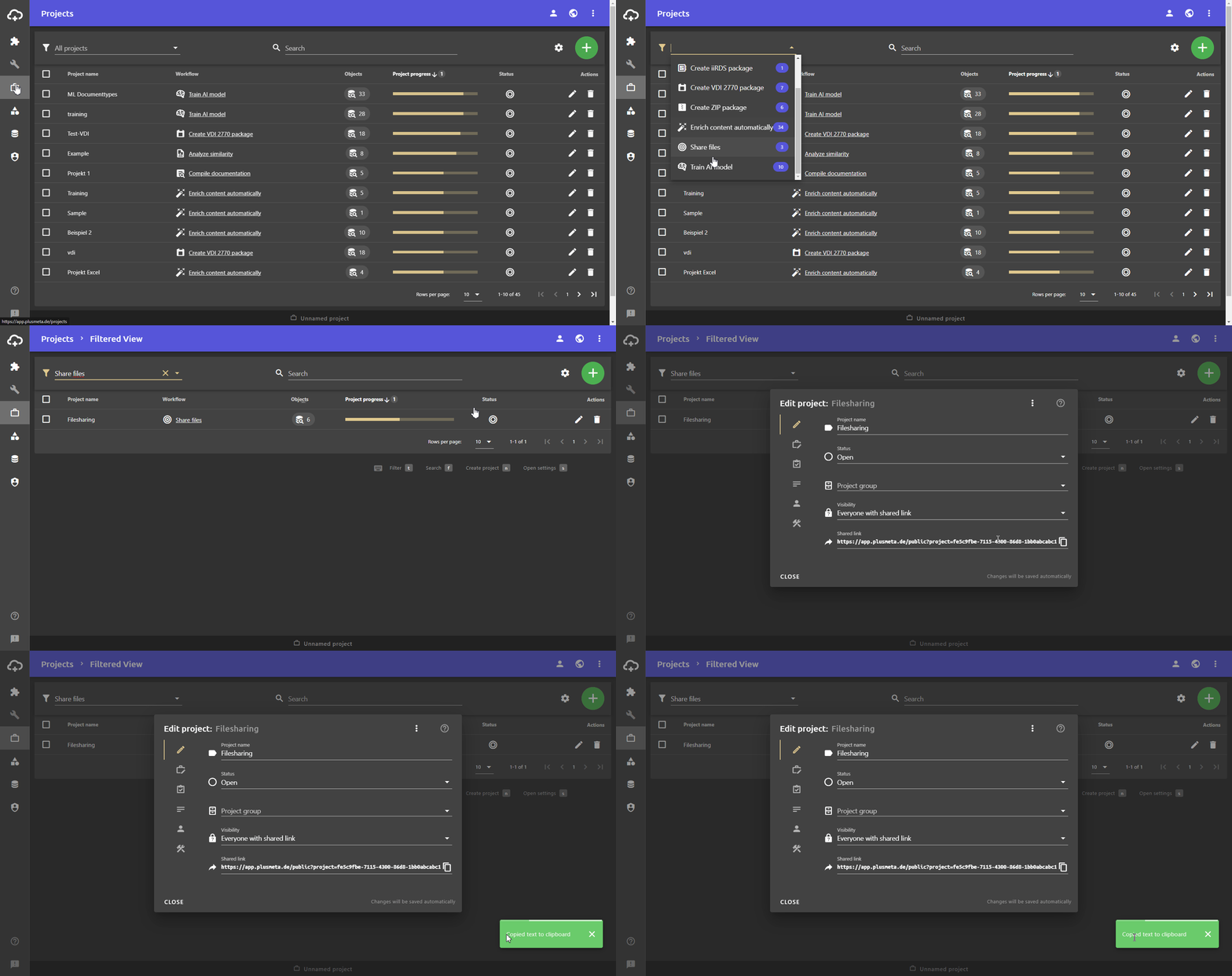
- Open the projects view.
- Use the filter function or the project name to find the project you want to share.
- Click on the Edit project button.
- Click on the button in the Shared link field on the right to copy the shared link.
- Send the shared link to the person with whom the files are to be shared.