Content of this topic
Basics
Most of the processes in plusmeta work on the basis of text. It can happen that objects to be processed, such as scanned paper documents or images, have no text content and therefore cannot be processed in a meaningful way. With the help of character recognition in plusmeta, the text content can be extracted from such objects.
Further preprocessing processes in plusmeta are explained here.
Use character recognition
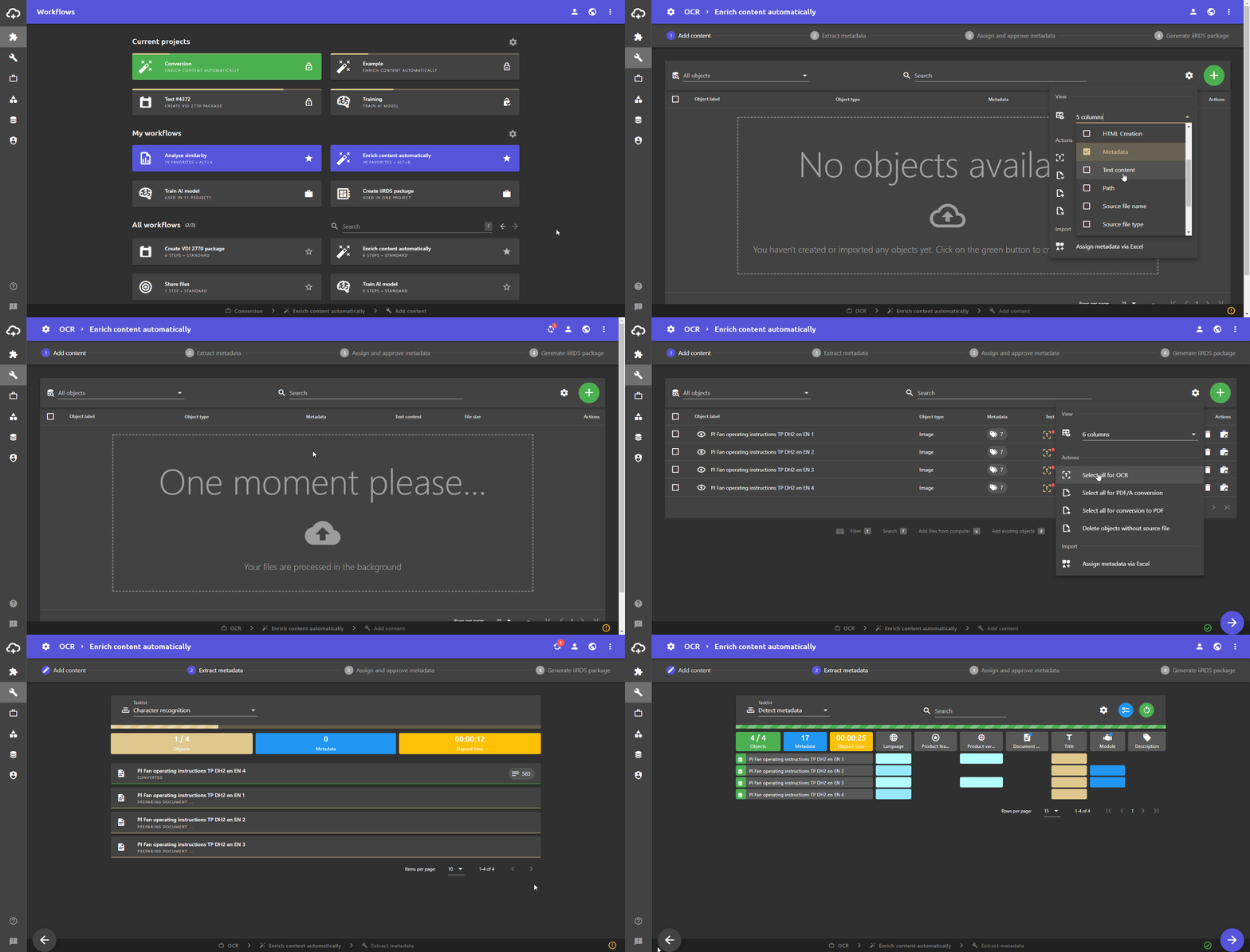
Info: Show the column Text content via the gear menu, if not already done.
- A project in the Workflows view or in the [Projects view] (/en/Project-View).
- Add scanned PDF documents or image files using the Add button .
Tip: Further information on the topic Add objects can be found here.
- The objects individually via the toggle switch Select for character recognition or all via the gear menu in the Actions area .
- Go to the next workflow step via the button. The recognized text content is automatically written to the original object.