Content of this topic
Machine learning (ML)
Machine learning is a method in plusmeta for metadata extraction.
When using machine learning, the metadata is assigned on the basis of a trained model. You can find out how to train an AI model in plusmeta here.
Deploy ML-Model
To extract metadata using a trained ML model, the model must be assigned to the corresponding property.
- Open the Properties view .
- Select the metadata to which you want to assign the ML model.
- Click on the button to open the Edit properties dialog.
The Edit properties dialog opens. - Open the Relations tab.
- Click on the Add button to add a relation.
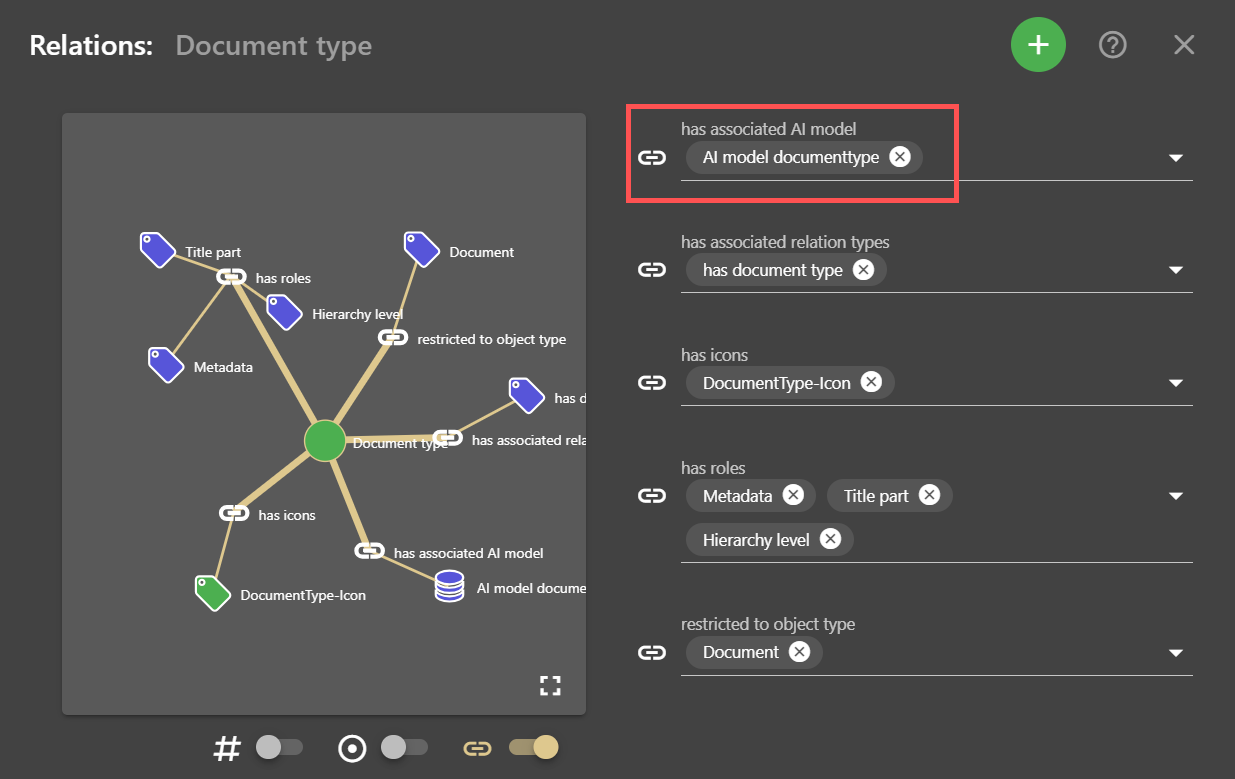
- Select the relation has associated AI model from the drop-down list.
- In the Target of the relation field, select the desired AI model to be used for the property.
- Click CLOSE.
All your changes will be saved automatically.
Configure machine learning
Machine learning can optionally be customized with the configuration object ML prediction.
- Open the objects view.
- Click on the Add button to create a new object.
- Select Configuration object as the object type.
- Open the lower tab of the Create object dialogue.
- Select the template ML-based prediction.
Note: If no template is selected during creation, it cannot be added later.
- Customize parameters in the configuration object.
- Enter a display name in the top tab .
Note: The drop-down list suggests titles according to the object type and template selected.
- Click on CREATE OBJECT.
- Select the metadata to which the ML model is to be assigned and open the Edit properties dialogue via the button.
- Open the tab Relations.
- Click on the Add button to add a relation.
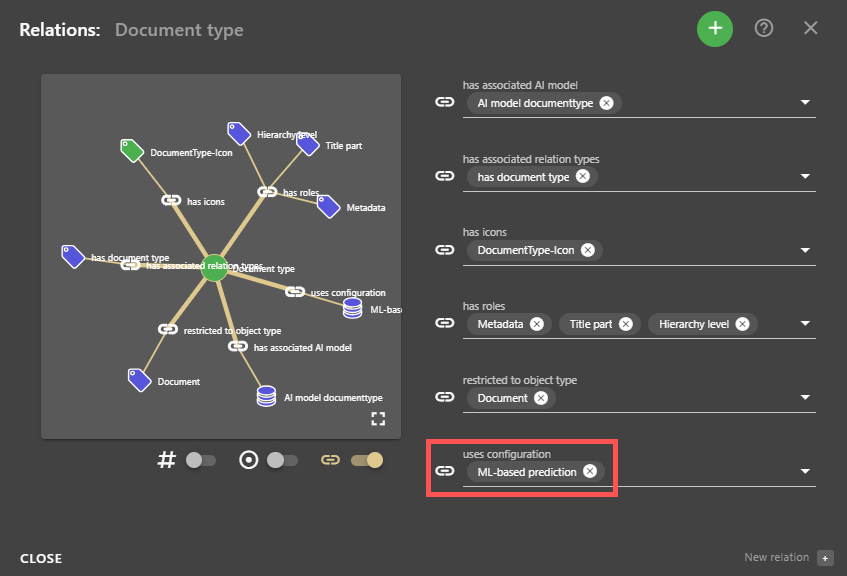
- Select the relation uses configuration from the drop-down list.
- In the Relation target field, select the ML-based prediction configuration object.
- Click CLOSE.
All your changes will be saved automatically.